AI music prompts: 12 ideas to make your own
Start with a sound you can describe. Copy a prompt, change its character and give your next track a clearer direction.
Published by WaveQuake, the studio featured in this guide. Product screenshots show the live interface. Illustrations explain the ideas; examples are creative starting points, not guaranteed results.

Useful AI music prompts describe a performance you can imagine hearing. “Make an amazing song” is a judgement. “Warm soul, brushed drums, intimate vocal and a chorus that opens up” gives the generator a musical direction.
Below are 12 original prompt examples, a simple formula and a way to improve a result without endlessly adding adjectives. Copy one, change a few details and use it with lyrics that fit the intended delivery.
These are editorial starting points, not a scored collection of tested presets. Generators interpret instructions differently, and the same prompt can produce different takes. The goal is a clearer creative brief and a more useful listening process, not a guaranteed sound.
A simple formula for a clearer music prompt
Start with five decisions: genre, groove, instruments, vocal delivery and arrangement. You can write these as a short paragraph. You do not need specialist vocabulary when an everyday phrase says what you mean.
[Main genre], [tempo or groove], [two or three instruments], [vocal character and delivery], [mood], [how the verse and chorus should differ].
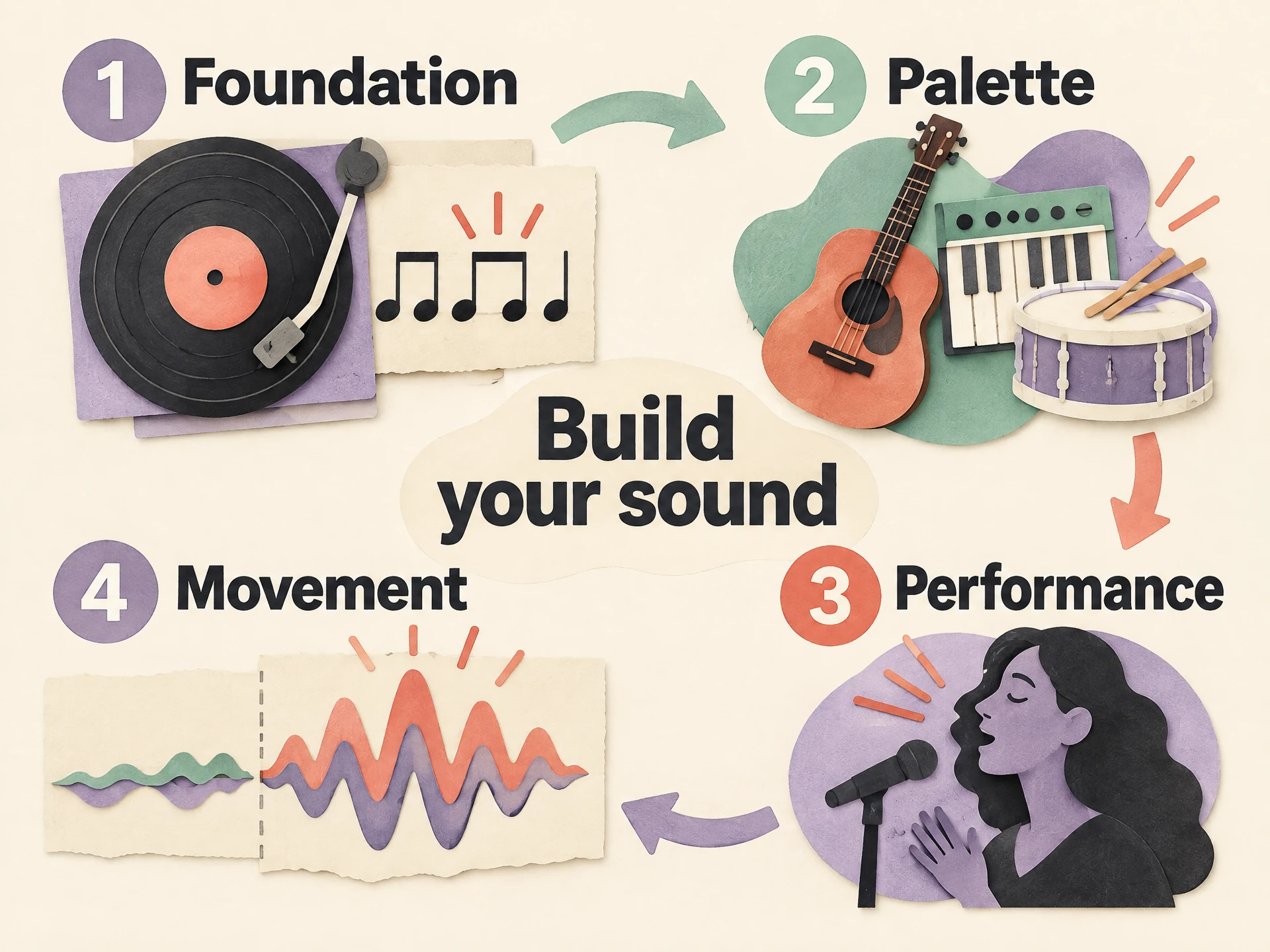 View full-size infographic
- FoundationOne main genre and a clear rhythmic feel.
- PaletteTwo or three instruments that belong together.
- PerformanceHow the lead voice should deliver the words.
- MovementWhat changes when the chorus arrives.
For example, “slow folk, fingerpicked guitar, close conversational vocal, regretful verse and a warmer chorus” has a coherent centre. Adding orchestral metal, festival EDM and vintage jazz to the same sentence gives the model several competing ideas to reconcile.
That does not make genre blending wrong. It means the blend needs a leader. “Folk song with a subtle electronic pulse” is a clearer hierarchy than a list of five equally important styles. Decide which sound should still be recognizable if the extra detail disappears.
Suno’s music glossary explains useful terms for instrumentation, arrangement and dynamics. Learn a few that describe sounds you already recognize. Technical language earns its place when it makes the instruction clearer, not when it makes the prompt look more impressive.
12 AI music prompts you can copy and adapt
Each example has a distinct centre and a suggested first edit. The examples describe sung or rapped songs; supply your own original lyrics separately. They are not copied from an artist’s recording and should not be treated as a request for a particular singer’s identity.
1. Warm soul with room for the singer
Warm soul, relaxed mid-tempo groove, electric piano and rounded bass, brushed drums, intimate lead vocal with a little rasp, restrained verses and a fuller chorus with soft backing harmonies.
Make it yours: If the vocal feels buried, remove the backing harmonies before adding more instructions. The lead voice is the priority here.
2. Acoustic country with a clear story
Acoustic country, steady mid-tempo backbeat, strummed guitar and gentle pedal steel, conversational lead vocal, small-town storytelling feel, a simple memorable chorus and a warm uncluttered arrangement.
Make it yours: Change the emotional point of view in your lyrics. A specific place or object will do more for the story than another country adjective.
3. Bright dance-pop with a darker lyric
Bright dance-pop, driving four-on-the-floor beat, elastic synth bass and crisp rhythm guitar, confident expressive lead vocal, bittersweet mood, a tight verse opening into a wide energetic chorus.
Make it yours: Keep the musical energy upbeat while the words carry the regret. That contrast gives this direction its character.
4. Late-night R&B
Late-night contemporary R&B, slow relaxed groove, warm electric keys and deep rounded bass, sparse percussion, close understated lead vocal, spacious verses and a gently layered chorus.
Make it yours: Try shorter lyric lines with space between them. A dense paragraph will work against the unhurried delivery you are asking for.
5. Indie folk that grows gradually
Intimate indie folk, fingerpicked acoustic guitar, soft bass and restrained hand percussion, natural conversational vocal, reflective mood, a sparse opening that gradually grows into a warm final chorus.
Make it yours: If every section arrives at the same intensity, make the opening simpler rather than asking the final chorus to become enormous.
6. Guitar-led pop-rock
Melodic pop-rock, steady driving drums, crunchy rhythm guitars and a clear bass line, energetic lead vocal, hopeful mood, compact verses and a big singable chorus with a strong sense of release.
Make it yours: A short repeated hook can help the chorus feel direct. Avoid adding a second, unrelated lyrical idea at the moment of release.
7. Reflective piano ballad
Reflective piano ballad, slow gentle pulse, expressive lead vocal and warm piano, subtle bass, quiet opening verse, a gradual emotional lift and a fuller final chorus without overwhelming the words.
Make it yours: Choose one emotional turn for the lyric. Restraint in the early verses makes the later lift more meaningful.
8. Upbeat disco-funk
Upbeat disco-funk, syncopated bass, clean rhythmic guitar and bright strings, tight live-feeling drums, playful confident vocal, light verse texture and an infectious chorus with short backing responses.
Make it yours: Keep phrases rhythmically simple enough to sit in the groove. Too many words can make a danceable idea feel rushed.
9. Laid-back hip-hop
Laid-back hip-hop, warm sampled-feeling keys, dry punchy drums and rounded bass, clear relaxed rap delivery, reflective storytelling, short melodic hook, sparse backing that leaves room for every word.
Make it yours: Read the verse aloud over a steady pulse before generating. Remove words that you have to hurry through just to reach the end of a line.
10. Gentle jazz-pop
Gentle jazz-pop, relaxed swing feel, warm piano, upright-style bass and brushed drums, intimate lead vocal, understated sophisticated mood, conversational verses and a smooth melodic chorus.
Make it yours: Treat swing and instrumentation as a direction, not a guarantee of a particular performance technique. Simplify if the result becomes too busy.
11. Dreamy synth-pop
Dreamy synth-pop, steady medium-paced electronic beat, soft shimmering synths and a rounded bass pulse, clear wistful lead vocal, spacious verse arrangement and a bright open chorus, restrained atmospheric reverb.
Make it yours: If the words lose clarity, reduce the atmospheric description first. More reverb is not the same thing as more emotion.
12. Stripped-back acoustic pop
Stripped-back acoustic pop, gentle mid-tempo rhythm, clean acoustic guitar and light percussion, close natural lead vocal, honest hopeful mood, a small first verse and a clear memorable chorus with minimal embellishment.
Make it yours: This is a useful reset when a complicated prompt stops making sense. Establish a strong song before adding layers.
Choose the closest starting point rather than combining every prompt you like. A coherent first take gives you something concrete to react to. Once you have heard it, an edit such as “less percussion” or “a more restrained lead vocal” has a clear purpose.
Keep the lyrics readable and the cues concise
The sound prompt describes the performance. The lyric field contains the words to sing, along with any short section cues. Keeping those jobs separate makes both easier to review.
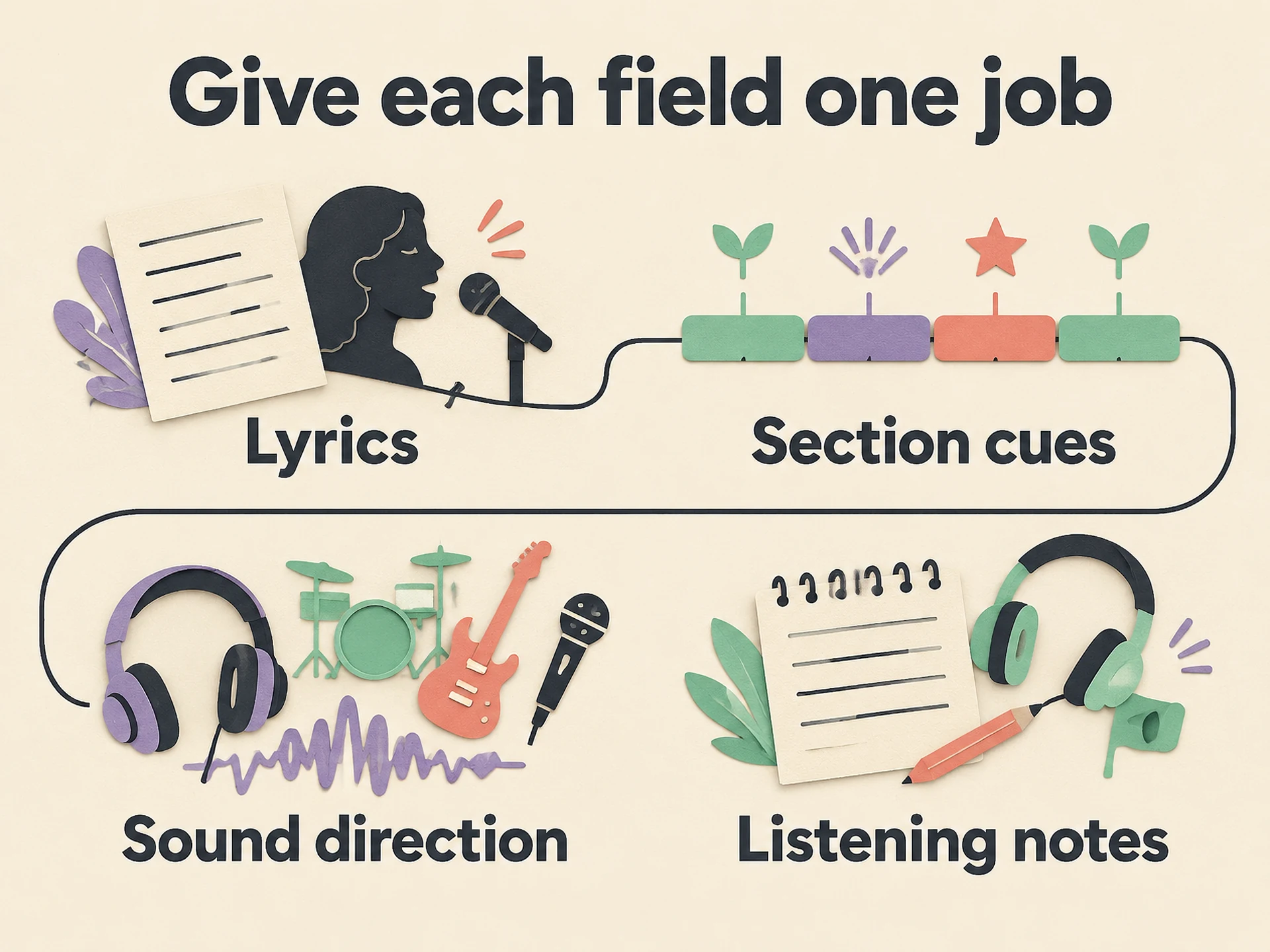 View full-size infographic
- LyricsThe words the singer should perform.
- Section cuesShort suggestions such as a restrained verse or fuller chorus.
- Sound directionGenre, groove, instrumentation and overall vocal delivery.
- Listening notesYour assessment after hearing the take, ready for the next edit.
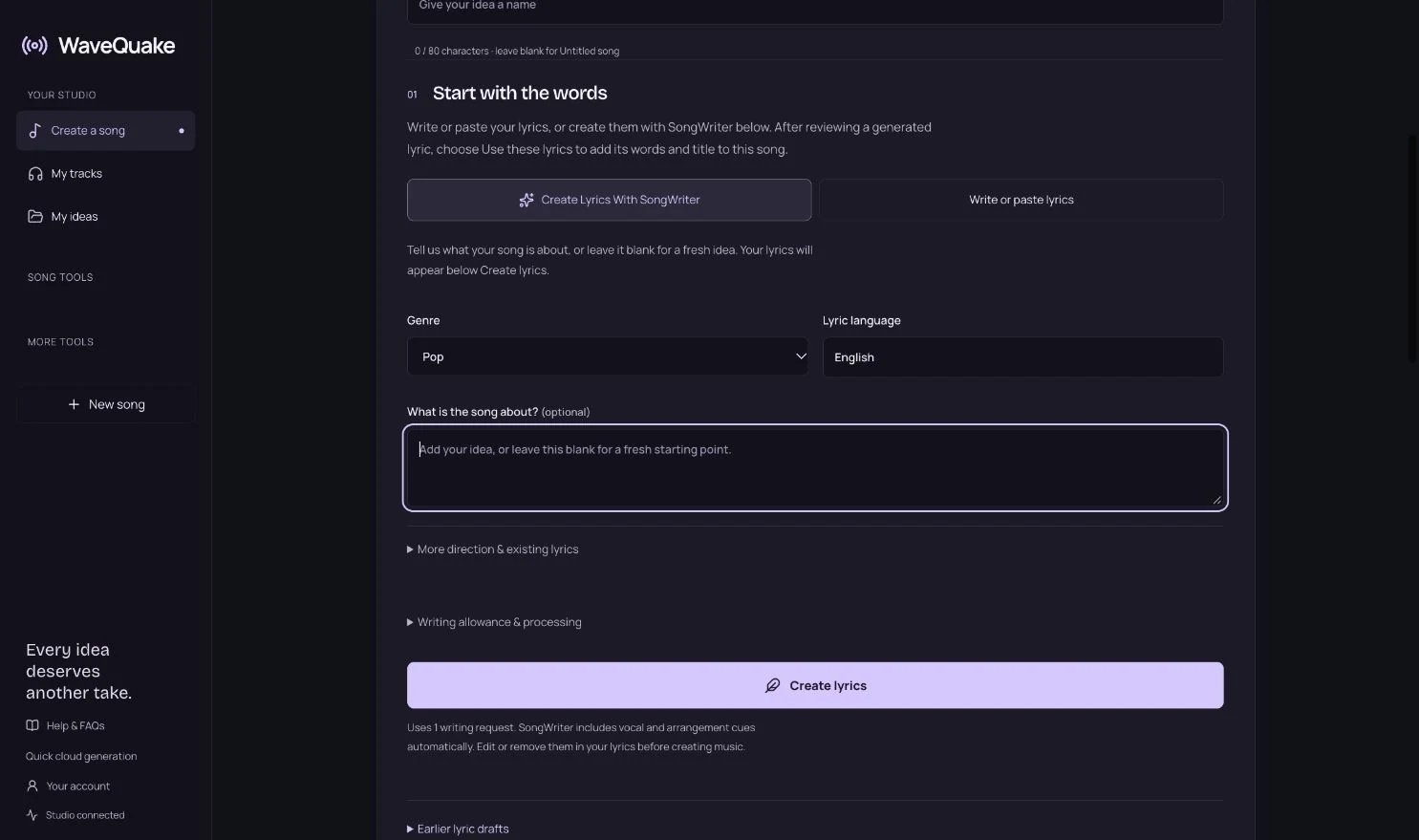
WaveQuake Songwriter automatically includes vocal and arrangement cues in new lyrics. You can edit or remove them before making music. A cue is a creative suggestion, not a programming command: it may be interpreted loosely, ignored or occasionally affect the sung output.
[Verse — intimate, restrained]
I left the porch light on again
A small hello around the bend

[Chorus — fuller, warm harmonies]
There is a road that brings me home
Even when I walk alone
This short original example separates a quieter verse from a fuller chorus. It does not need a technical instruction before every line. If a cue causes an unwanted result, simplify it to a plain section label and put the broader direction in the sound prompt.
Read the lyric aloud. Notice whether a line needs an unnatural rush, whether the important word lands late, and whether the chorus has a phrase you can remember. Clearer phrasing may improve the result more than another descriptive tag.
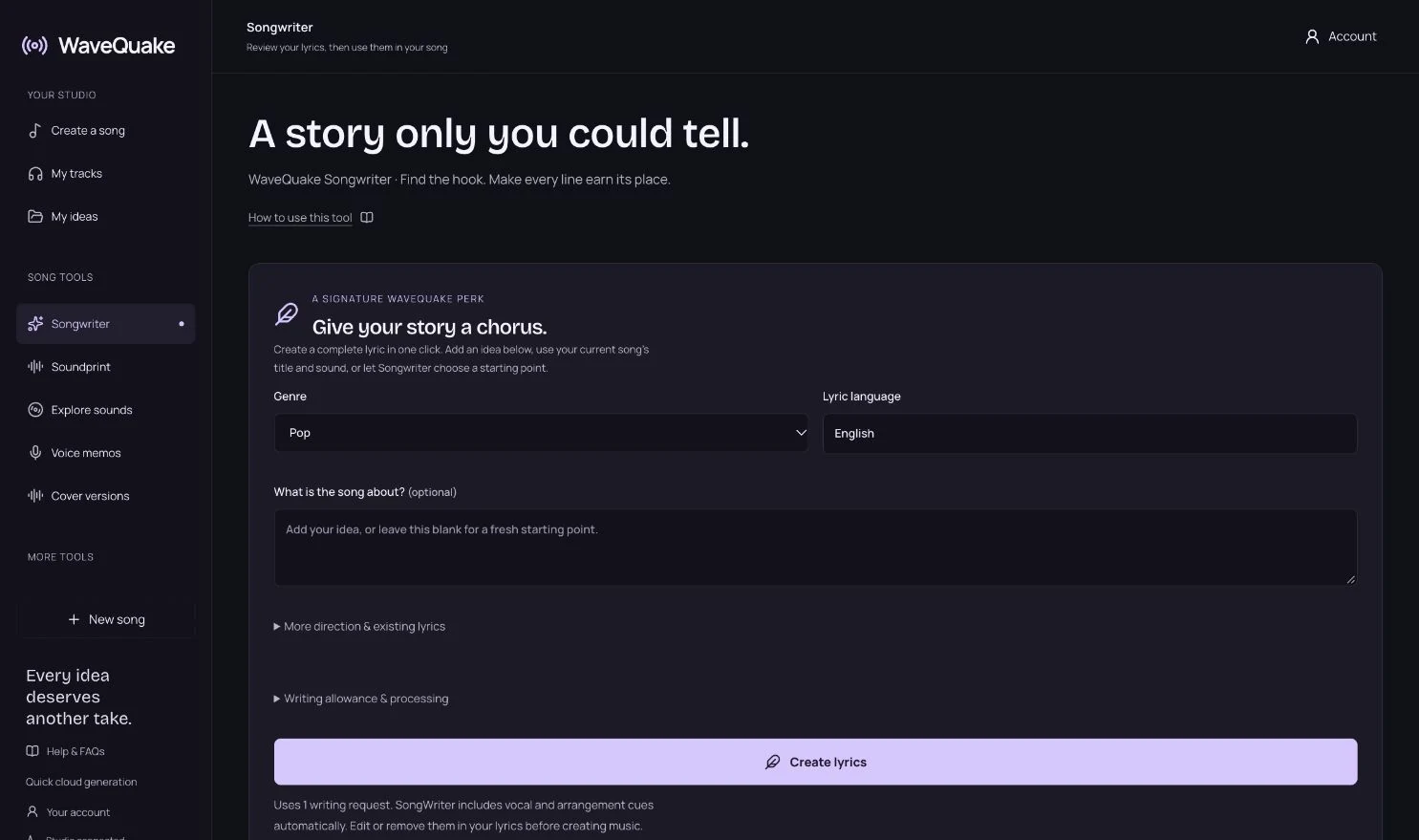
If you need help beginning, open Songwriter with a specific story: who is speaking, what happened and what the chorus should reveal. A vivid detail gives you a stronger editing target than an instruction to write something “emotional.”
Use Soundprint when you know the reference, not the terms
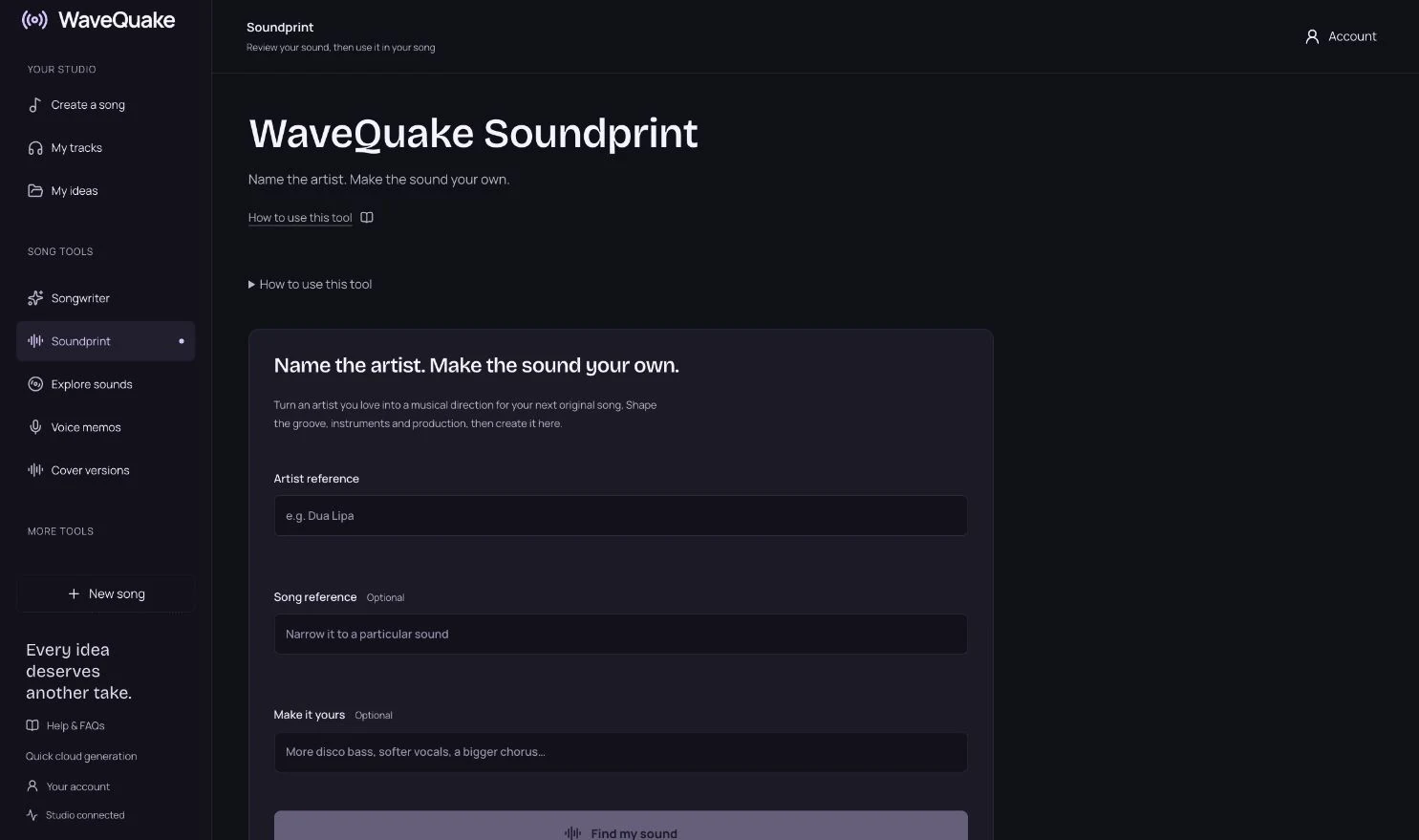
Sometimes you know the music you enjoy but cannot name its ingredients. That is where WaveQuake Soundprint fits: enter an artist reference, optionally add a song reference and describe your own twist. It turns that starting point into a musical direction you can review and edit.
Think of the reference as a conversation starter. You might want the rhythmic confidence of dance-pop with a more intimate vocal and less production around it. The personal twist helps you ask for a new direction rather than an imitation.
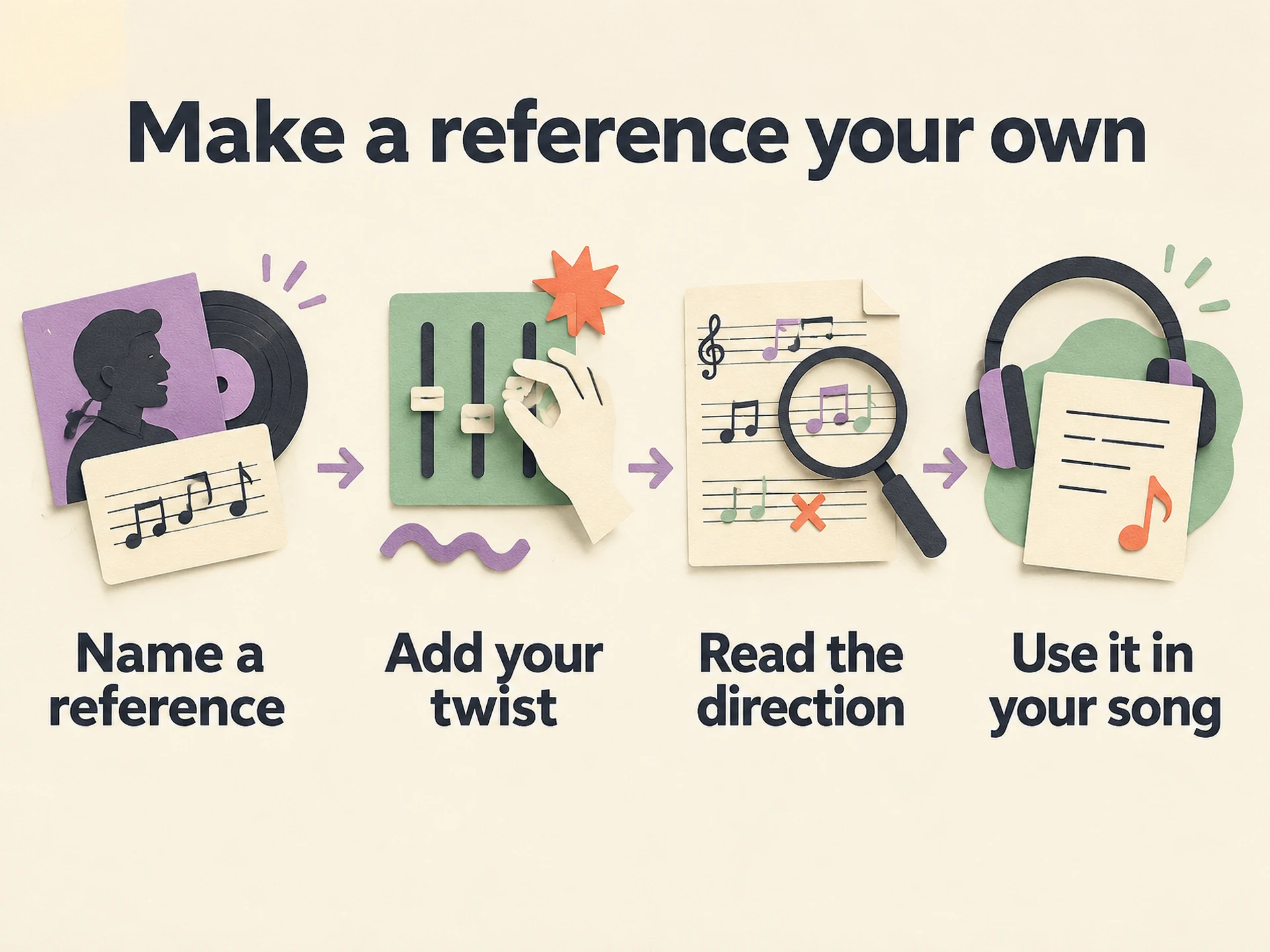 View full-size infographic
- Name a referenceUse an artist or song to describe your starting point.
- Add your twistChoose what should feel different in your own track.
- Read the directionKeep the useful musical traits and edit anything that does not fit.
- Use it in your songPair the direction with your own lyric and create the music separately.
Soundprint does not clone a singer, reproduce a recording or guarantee an exact style match. It uses a writing request to develop the direction. Creating the actual music uses the separate creation-minute bank. If you already have a good description, you can write it directly without using Soundprint.
Put a prompt into a complete WaveQuake song
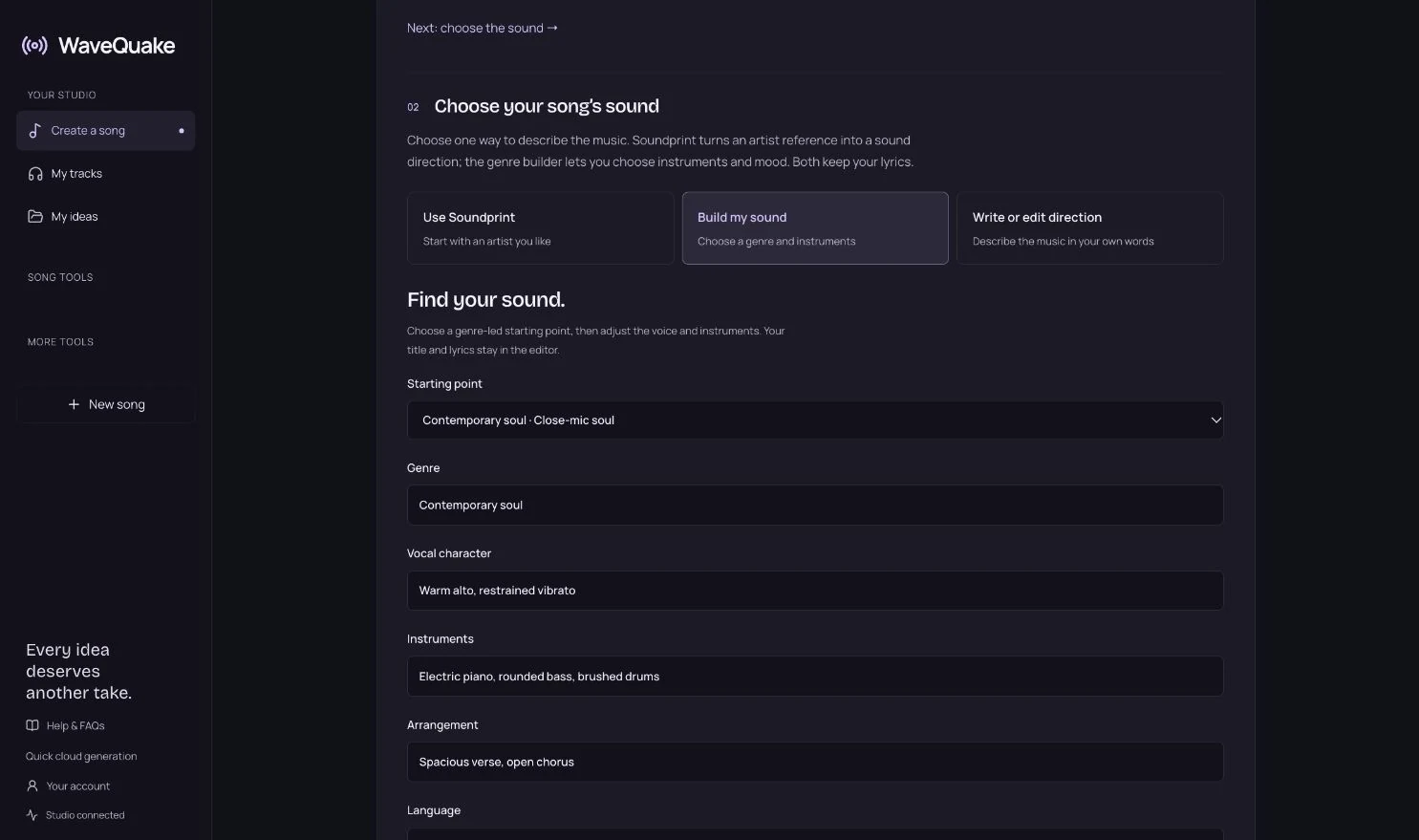
- Open Create a song. Give the idea a title if you have one.
- Start with the words. Paste your own lyrics or use Create Lyrics With SongWriter. Review a generated draft and choose Use these lyrics.
- Choose the sound. Select Write or edit direction and paste one prompt. Alternatively, use Soundprint or Build my sound.
- Read the song summary. Confirm the words and direction belong to the same idea, then create the track.
- Compare both versions. Listen through the chorus and ending before selecting a favourite.
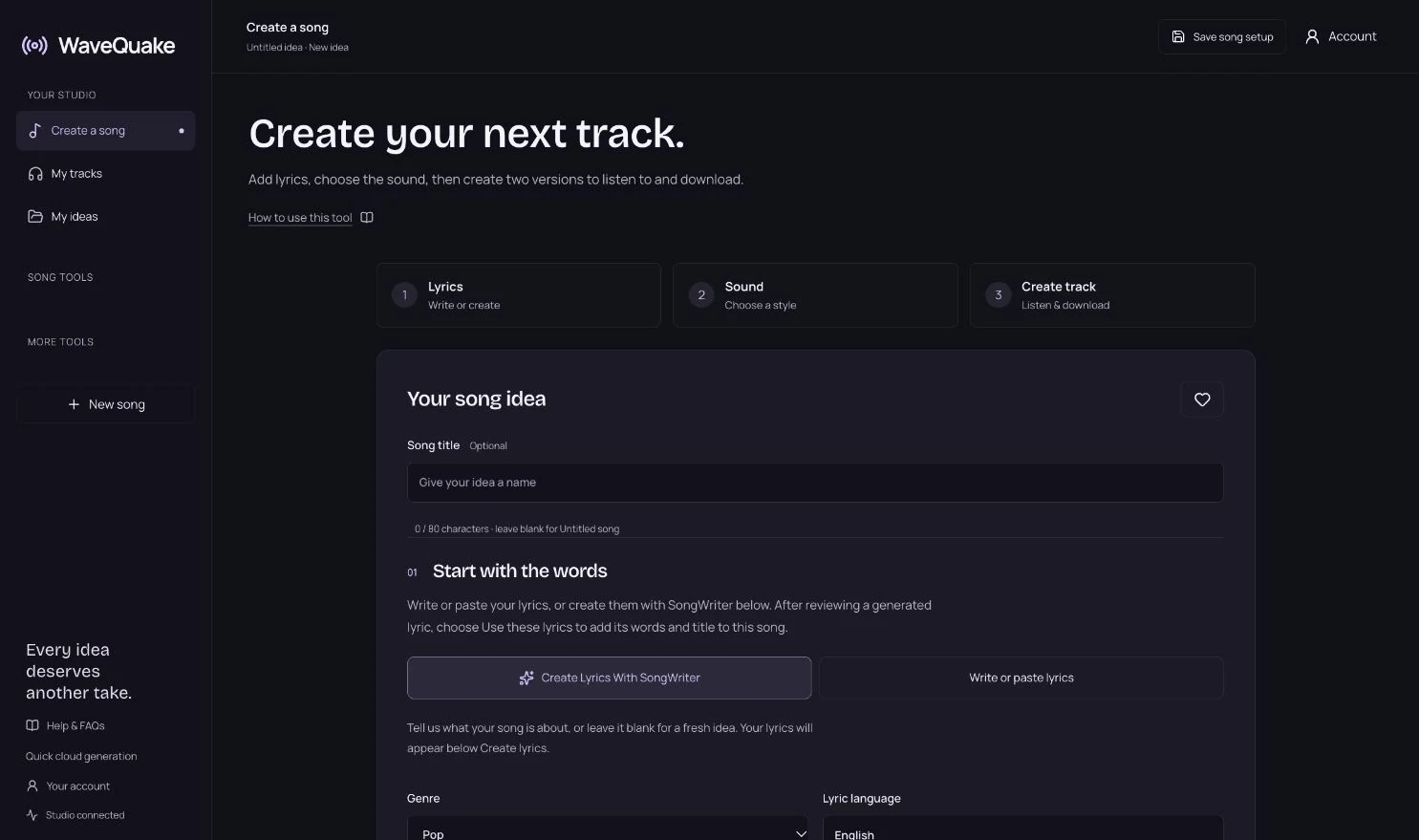
Within Build my sound, choose a direction that supports the lyric’s delivery. A short, conversational verse can feel natural over a restrained arrangement. A dense verse may need more space in the groove. If the combination fights itself, simplify the words or the sound before spending another generation.
A successful WaveQuake music generation produces two versions; only the longer version counts toward the creation-minute balance, rounded up to a whole second. Your waiting time is not the charge. The pricing and allowance guide explains the current bank and optional top-ups.
Change one thing when the result misses
“It sounds wrong” is a starting reaction, not an editing instruction. Try naming the mismatch in ordinary language: the singer is too forceful, the drums are too busy, the lyric is rushed, or the chorus does not feel different from the verse.
| What you hear | A useful next experiment |
|---|---|
| Too many competing instruments | Remove extra instruments and ask for a sparse arrangement. |
| A vocal that overpowers the song | Try an understated, conversational delivery. |
| Words feel rushed | Shorten crowded lyric lines before changing the entire style. |
| No lift into the chorus | Ask for a restrained verse and fuller chorus; remove conflicting cues. |
| A muddy, distant lead | Reduce atmospheric effects in the prompt and prioritize a clear lead voice. |
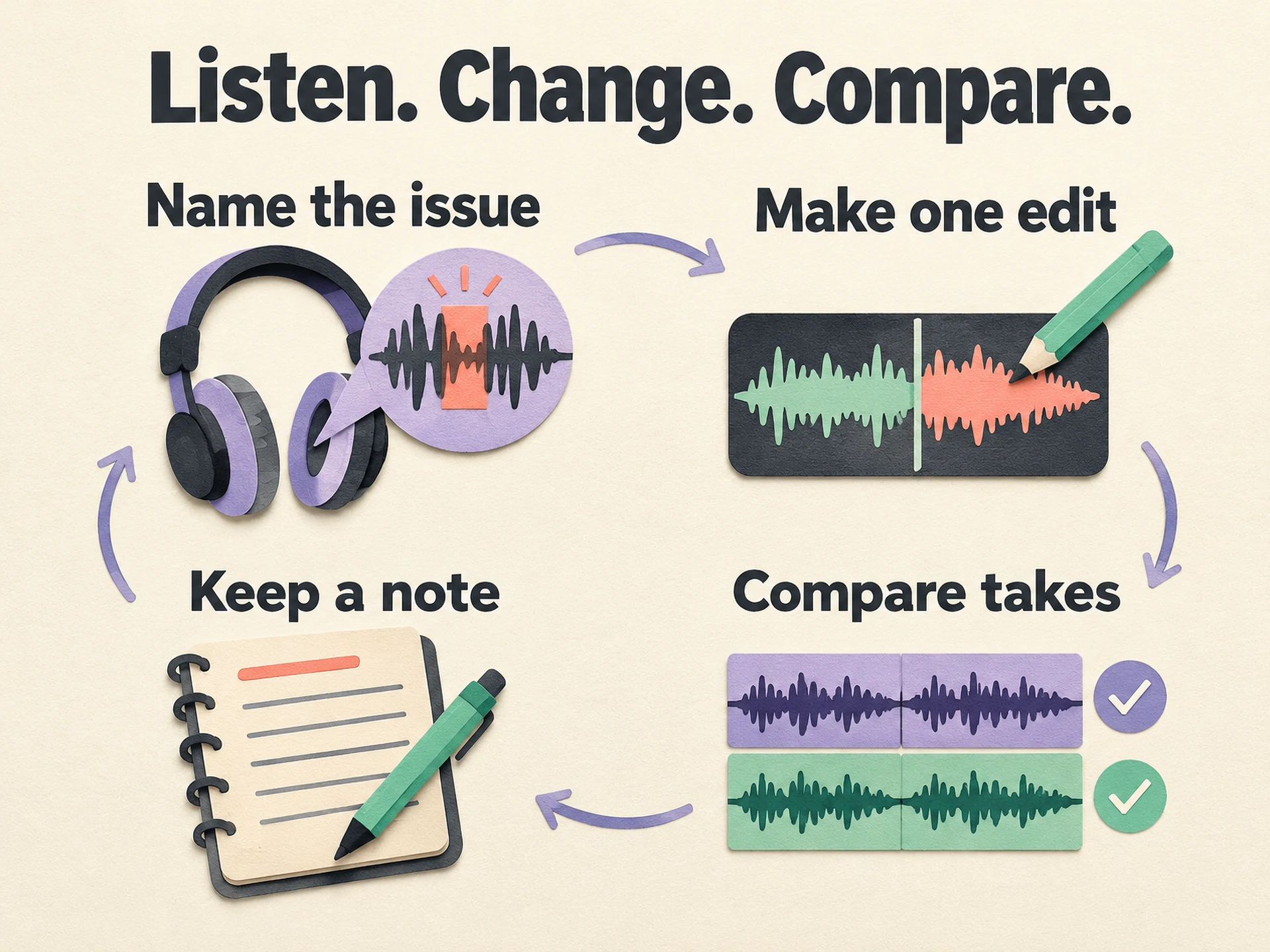 View full-size infographic
- Name the issuePick the most important audible mismatch.
- Make one editChange a lyric, instrument choice or delivery instruction.
- Compare takesJudge the change against the same section of the song.
- Keep a noteSave the direction that worked, plus what you changed.
These are experiments, not guaranteed fixes. Keep your promising versions while exploring alternatives. A later generation may improve one detail and lose something you loved in the earlier take.
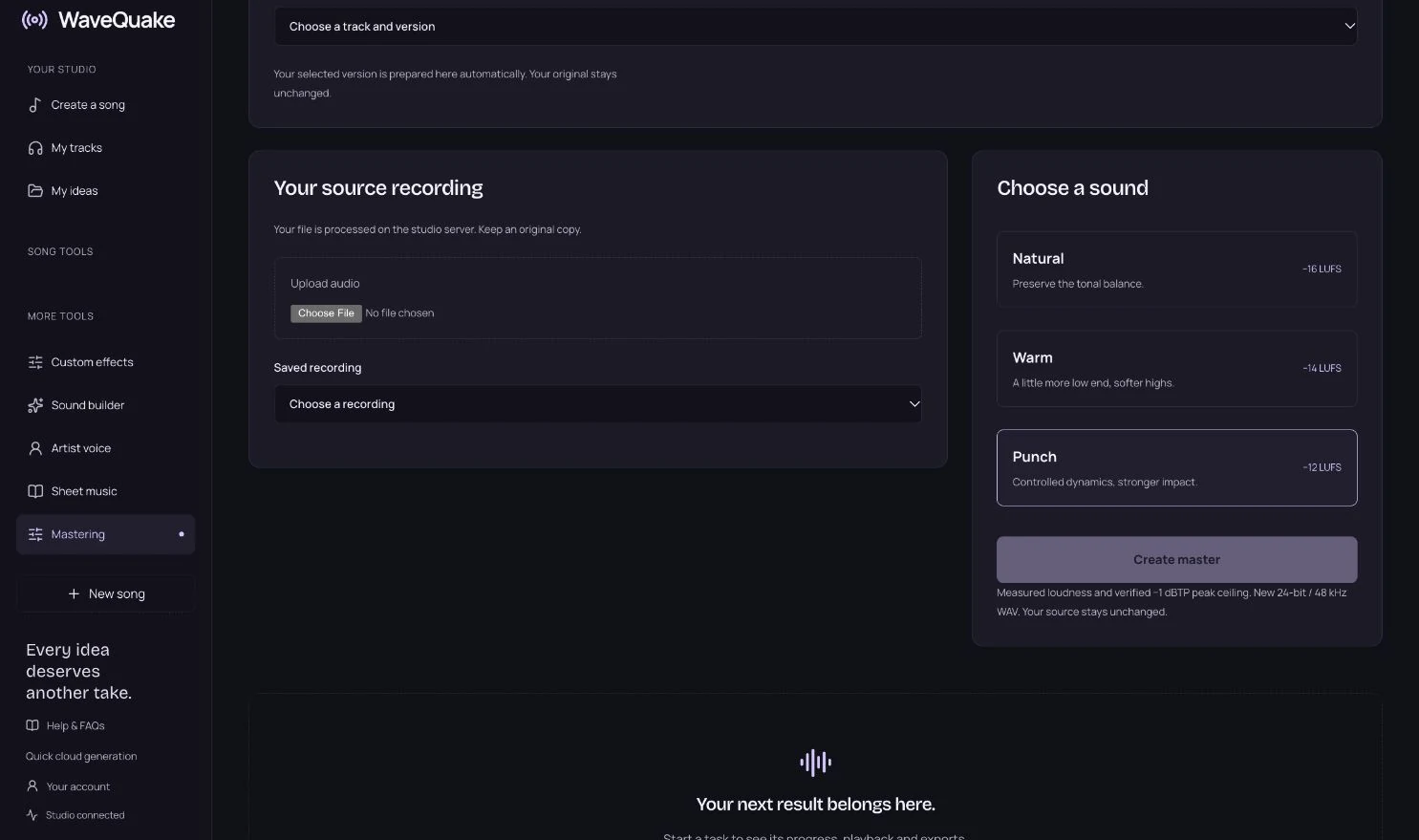
Once the performance works, compare mastering profiles rather than asking the prompt to solve every finishing problem. Listen to the original and processed version at a sensible level. A louder master can seem more exciting at first without being the better choice for the song.
Can you reuse these as Suno style prompts?
The descriptive parts can be adapted to other generators. A genre, instrument palette and vocal direction are ordinary musical instructions. But a prompt is not a portable preset: different models and controls can interpret the same words differently.
Suno’s Custom Mode guide separates lyrics from style information, which makes the distinction useful there too. Check the interface and current guidance of the tool you are using rather than assuming every bracketed cue has a universal meaning.
Do not copy another person’s lyrics to make the comparison easier. Use your own material and check the relevant licence before release. If you are also comparing payment models, our Suno alternative without a subscription guide explains WaveQuake’s one-time bank and the trade-offs.
The most useful prompt is the one you can revise with a reason. Start with a sound you understand, listen to what came back and keep the changes that make the song feel more like yours.
Common questions
What should an AI music prompt include?
Start with a main genre, tempo or groove, two or three instruments, a vocal direction and a simple arrangement idea. Keep the elements compatible and remove details that do not help you describe the intended sound.
How long should a music prompt be?
There is no universal ideal length. A short, coherent paragraph is a useful starting point. Add a detail when it solves a specific problem, rather than filling the available character limit.
Should I put my lyrics inside the sound prompt?
In WaveQuake, keep sung words in the lyrics field and musical direction in the sound field. You can include concise performance cues with the lyrics, but they are suggestions rather than guaranteed controls.
Can I ask for an exact BPM or musical key?
You can describe the tempo or key you want, but a text instruction does not guarantee an exact result. If a project requires a precise tempo, key or duration, measure and check the exported audio.
Does naming an artist clone their voice?
No. WaveQuake Soundprint uses a reference to help write a musical direction. It does not clone the artist’s voice or promise an exact reproduction of a song.
Are these prompts proven to produce the best results?
No. They are original editorial examples for developing a clearer brief. They have not been presented as a measured benchmark or a guarantee. Listen, compare and adapt them to your own song.
Sources & checking
Product details checked on 26 October 2026. Prices, features and terms can change; review the linked offer before purchasing. This is a product guide, not a comparative audio benchmark.