A Suno alternative without a subscription
One purchase or a monthly plan? Compare the costs, creative tools and limits that actually matter.
Published by WaveQuake, the studio featured in this guide. Product screenshots show the live interface. Illustrations explain the ideas; examples are creative starting points, not guaranteed results.
A Suno alternative without a subscription makes sense if you create in bursts. You might spend a weekend on ten song ideas, leave them alone for a month, then return when a new chorus arrives. A recurring bill can feel out of step with that rhythm.
WaveQuake’s answer is a one-time purchase: $149.99 USD at the founder price, with 3,000 creation minutes and 2,000 writing requests. Nothing renews automatically. You can write lyrics, develop a sound, create two versions of a song and master a favourite in the same browser workspace.
That is a different way to buy creative time, not a promise of limitless generation. This guide explains the practical trade-offs, compares the published offers and gives you a way to decide which setup fits your own work.
What changes when you move from Suno?
The most useful comparison starts with your habits. Do you create every week, or only when a project needs music? Are you looking for a free experiment, a recurring production allowance or a bank you can return to without another renewal?
| What matters | WaveQuake | Suno |
|---|---|---|
| Payment | $149.99 once, founder offer | Free tier; Pro and Premier subscriptions |
| Creation allowance | 3,000 minutes, one-time bank | Credits refill on the paid plan’s schedule |
| Writing | 2,000 requests shared by Songwriter and Soundprint | Own lyrics and generated lyrics supported |
| Downloads | Unlimited downloads of retained files | Published paid plans have monthly song-download allowances |
| Commercial use | Included, subject to the licence and third-party rights | Available on paid plans, subject to Suno’s terms |
| Working storage | 10 GB; files retained for 30 days | Check Suno’s current storage and access terms |
Comparison checked on 26 October 2026 against Suno’s pricing page, its own-lyrics guide and WaveQuake’s current offer. These are different systems: a credit is not the same unit as a creation minute.
A voice that works for an intimate folk song may be wrong for dance-pop. Listen to the WaveQuake examples and judge the kind of music you actually want to make, alongside the practical differences in this table.
What does the one-time price really buy?
The founder purchase is $149.99 including applicable taxes. The price will rise to $499.99 after the founder offer. Buying at the founder price saves $350 against that future one-time price.
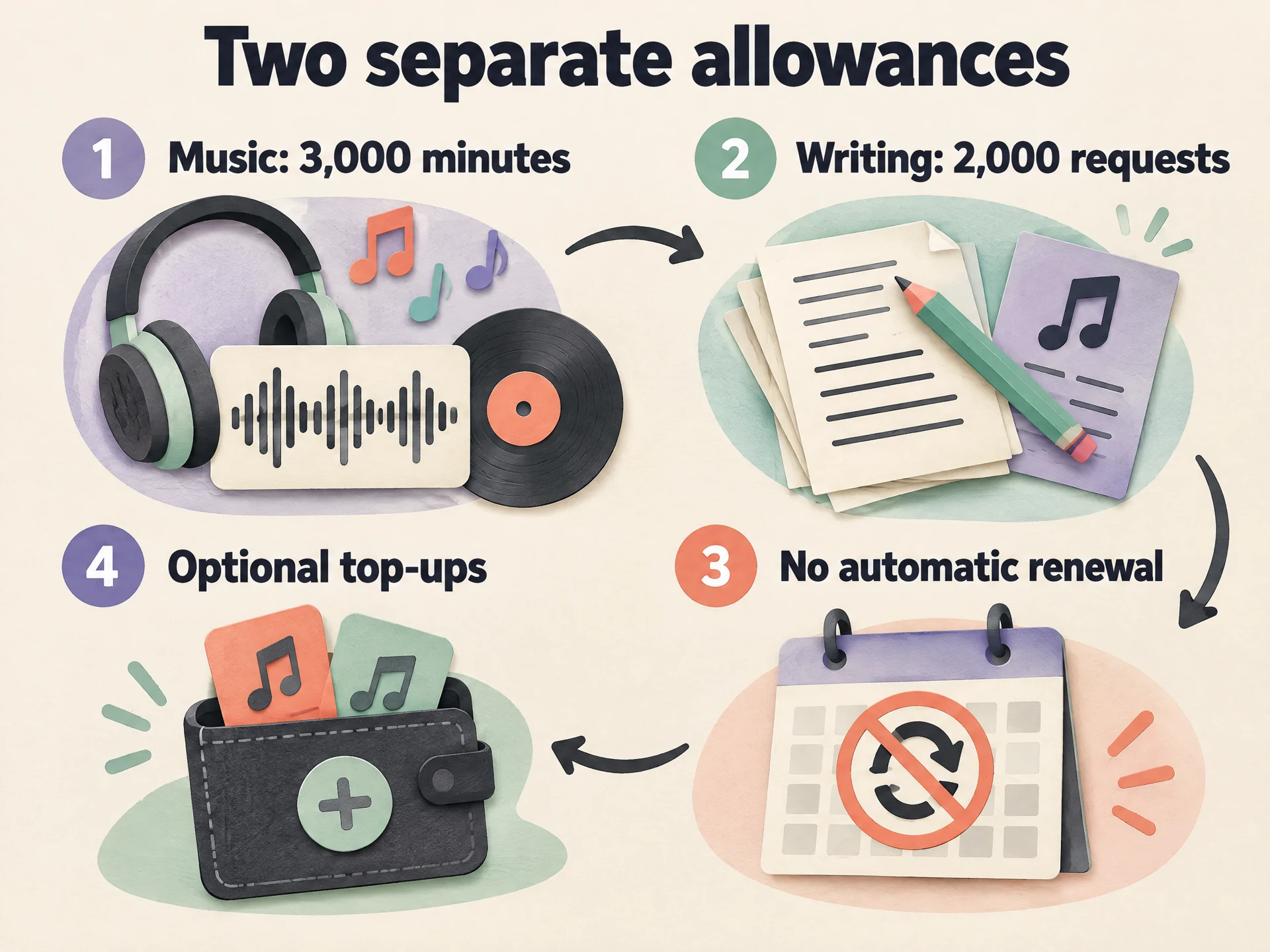
Your purchase provides a finite creation bank. It does not reset at the end of a month, and purchased minutes have no scheduled expiry while the service operates. If you use the bank up, optional one-time top-ups add creation minutes. They do not add writing requests or storage.
 View full-size infographic
- Music: 3,000 minutesNew songs and recorded-voice conversions use this bank.
- Writing: 2,000 requestsSongwriter and Soundprint share this separate allowance.
- No automatic renewalReturn when you have another idea. There is no monthly refill.
- Optional top-upsBuy more creation minutes from your account when needed.
Consider an occasional songwriter who works on a project every few months. A bank can be convenient because the remaining minutes wait between sessions. A creator making many tracks every day should compare their expected usage with a recurring plan’s refill. Neither payment structure automatically wins for everyone.
Suno’s published annual prices are $8 per month for Pro and $24 per month for Premier, billed yearly: $96 and $288 respectively before applicable taxes. WaveQuake’s initial price is therefore above one year of annual Pro and below one year of annual Premier. Those are headline-payment comparisons, not equal-usage calculations. Always check the current checkout and allowances.
Before purchasing, also read the No Refund Policy. All sales are final except where mandatory rights or the express exceptions in the terms apply. A clear choice before checkout is better than buying a plan on an assumption about what “once” means.
Creation minutes and unlimited downloads are different
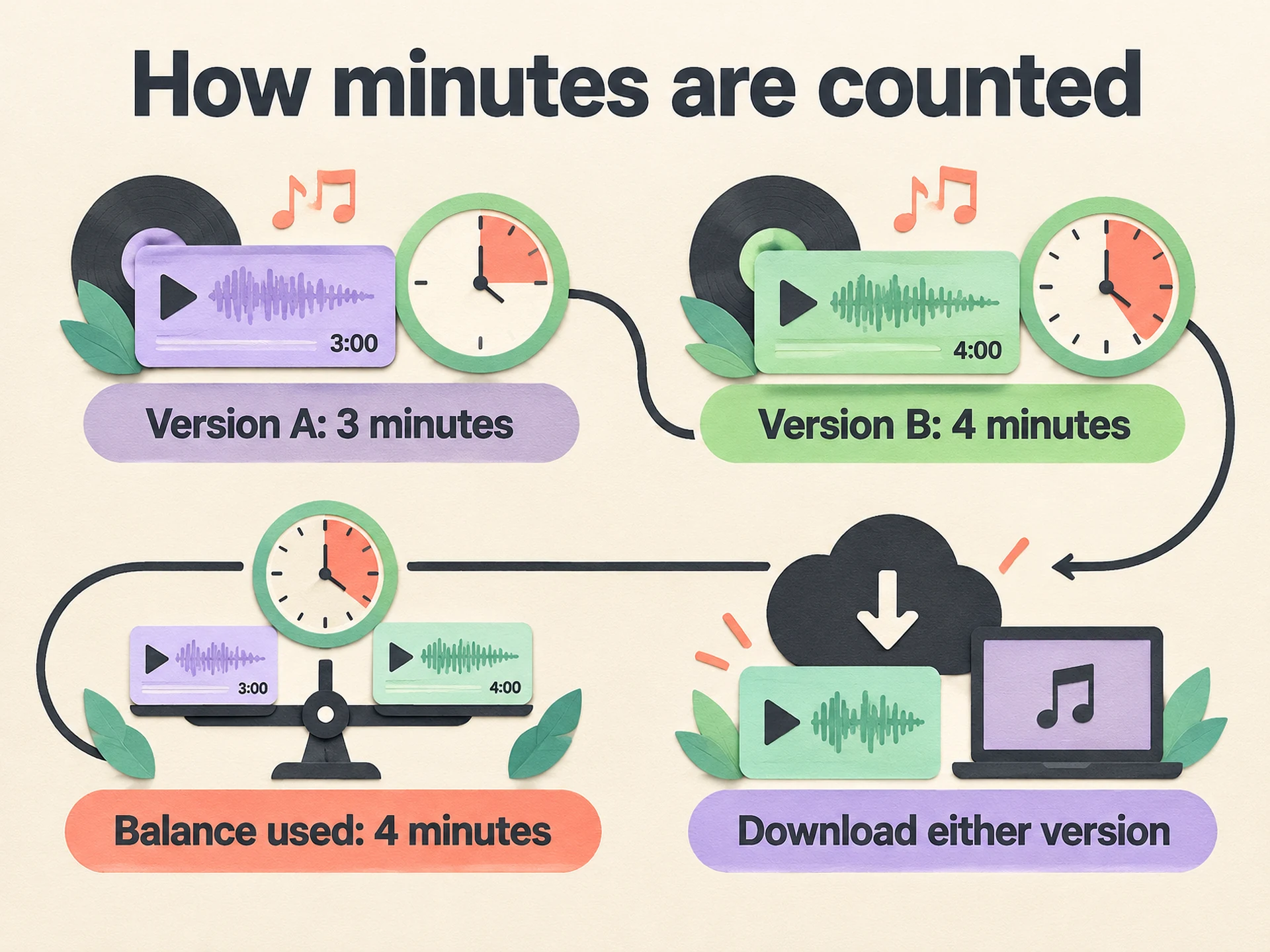
Each successful WaveQuake music generation produces two versions. Only the longer version counts toward your balance, rounded up to a whole second. If one version is three minutes and the other is four minutes, the generation uses four creation minutes, not seven.
Minutes measure the music produced, not how long you spend waiting in the queue. New music and recorded-voice conversions draw from the same bank. Saving, playback, mastering and downloading do not spend creation minutes. There is no separate song-count limit within the minute allowance.
 View full-size infographic
- Version A: 3 minutesKeep it, compare it or return to it later.
- Version B: 4 minutesThe longer of the two versions determines the charge.
- Balance used: 4 minutesThe two versions are not added together.
- Download either versionDownloading a retained file does not spend more minutes.
Unlimited downloads does not mean permanent cloud storage. The plan includes 10 GB of working storage and 30-day file retention. Download recordings you want to keep and maintain your own backup. Repeated downloads of retained files remain available even when the creation bank is empty.
This is an important question to ask of any alternative: when you stop paying, run out of credits or leave a project untouched, what can you still retrieve? Treat file retention, download allowance and generation allowance as three separate checks. A generous headline for one tells you little about the other two.
Bring your words and your musical direction together
A good alternative should shorten the distance between an idea and a song you want to hear again. In WaveQuake, Create a song brings the lyrics, title and sound direction into one workflow. You can start with words you have already written or use Songwriter to develop a complete lyric.
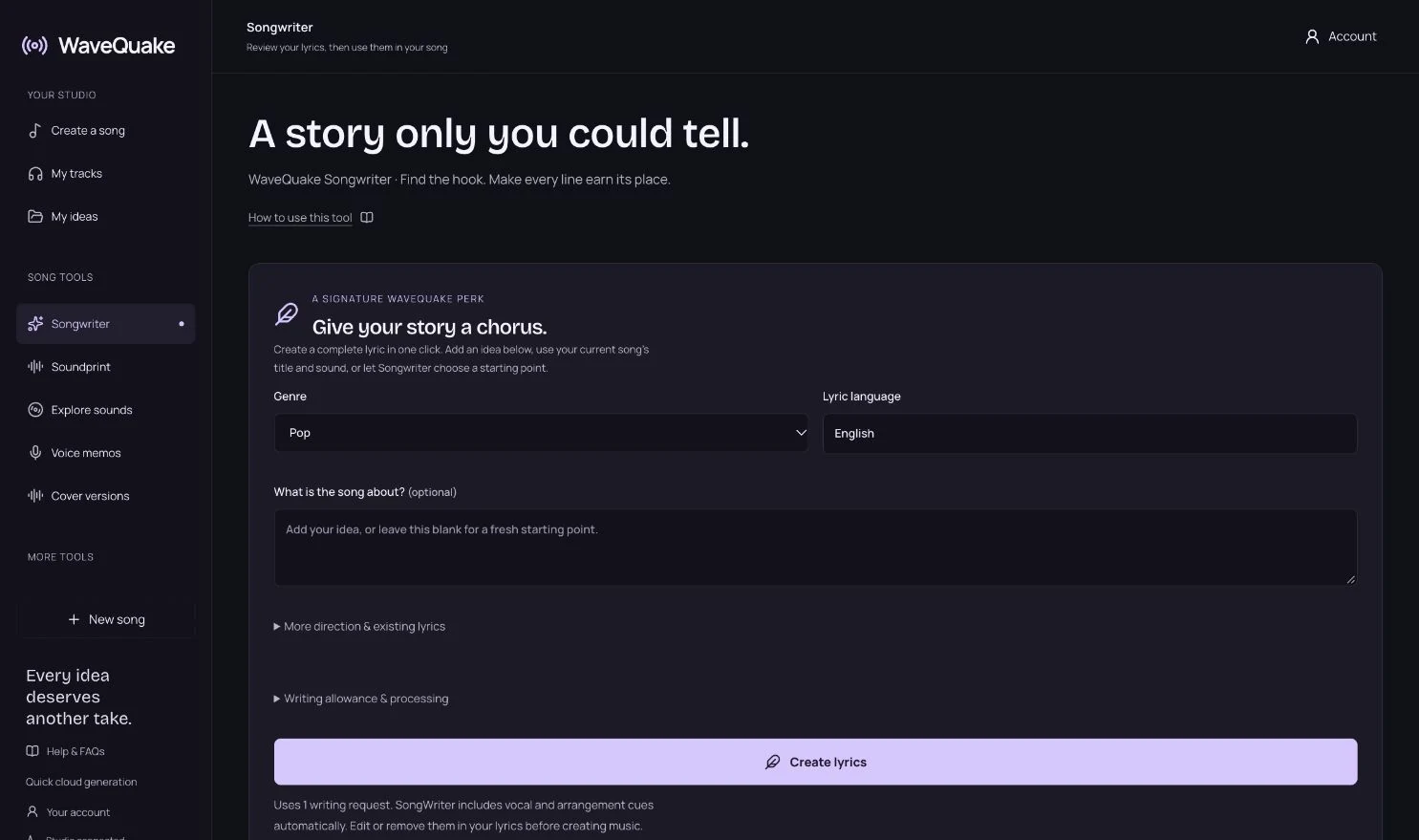
Give the writing tool a small, specific brief: a person leaving a familiar town, the bus stop where they used to meet a friend, and a chorus about choosing to return. Details create something to edit. “Write a good song about change” gives you much less to work with.
Keep the lines that sound like you. Replace a generic image, shorten a crowded phrase and check that the chorus says something different from the verse. Generated words are a first draft. You do not have to accept every line to get value from the tool.
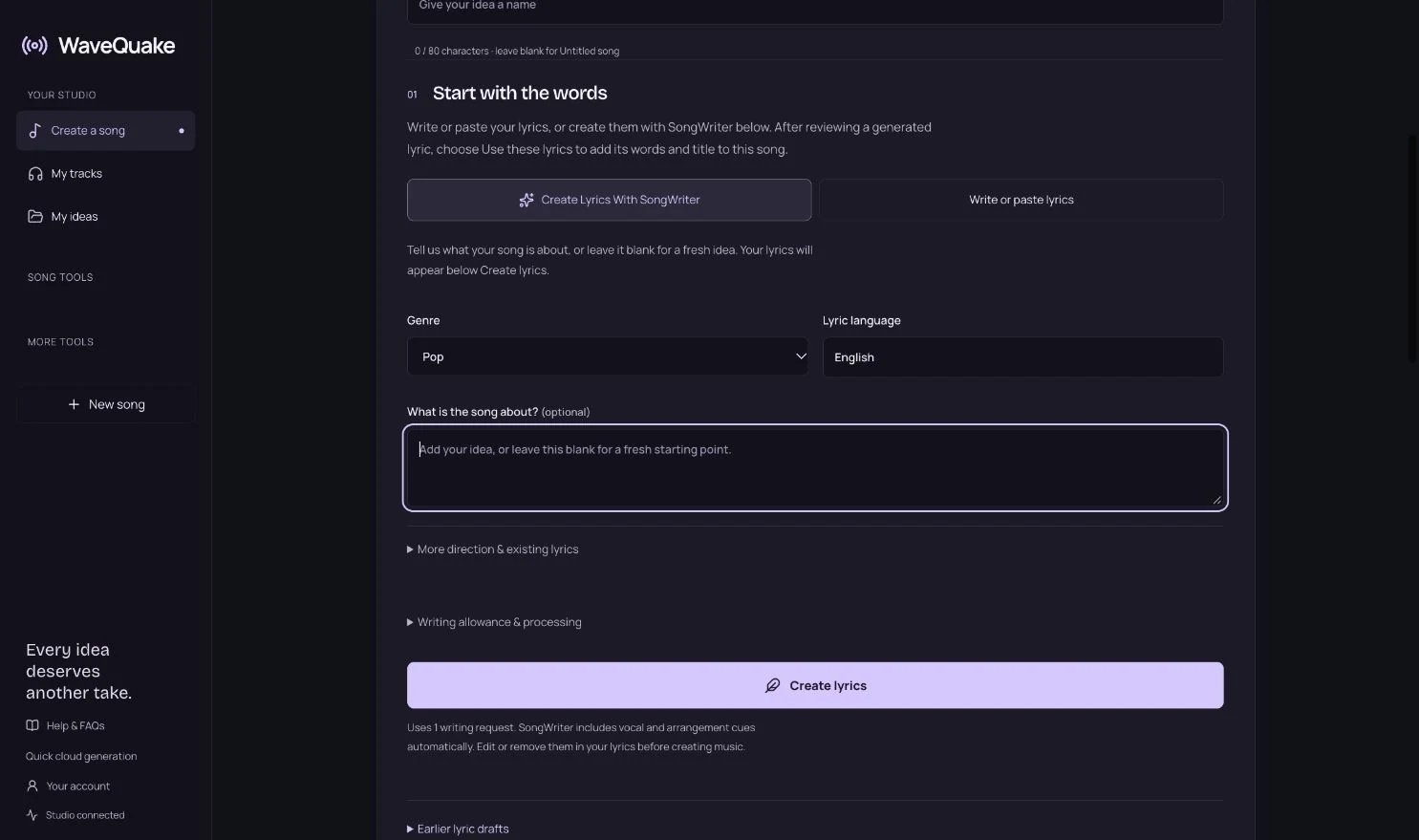
Next, describe the performance: a restrained vocal, warm electric piano, a steady backbeat and a chorus that opens up. Start with one main genre and a few compatible details. Our AI music prompt examples give you practical starting points to adapt.
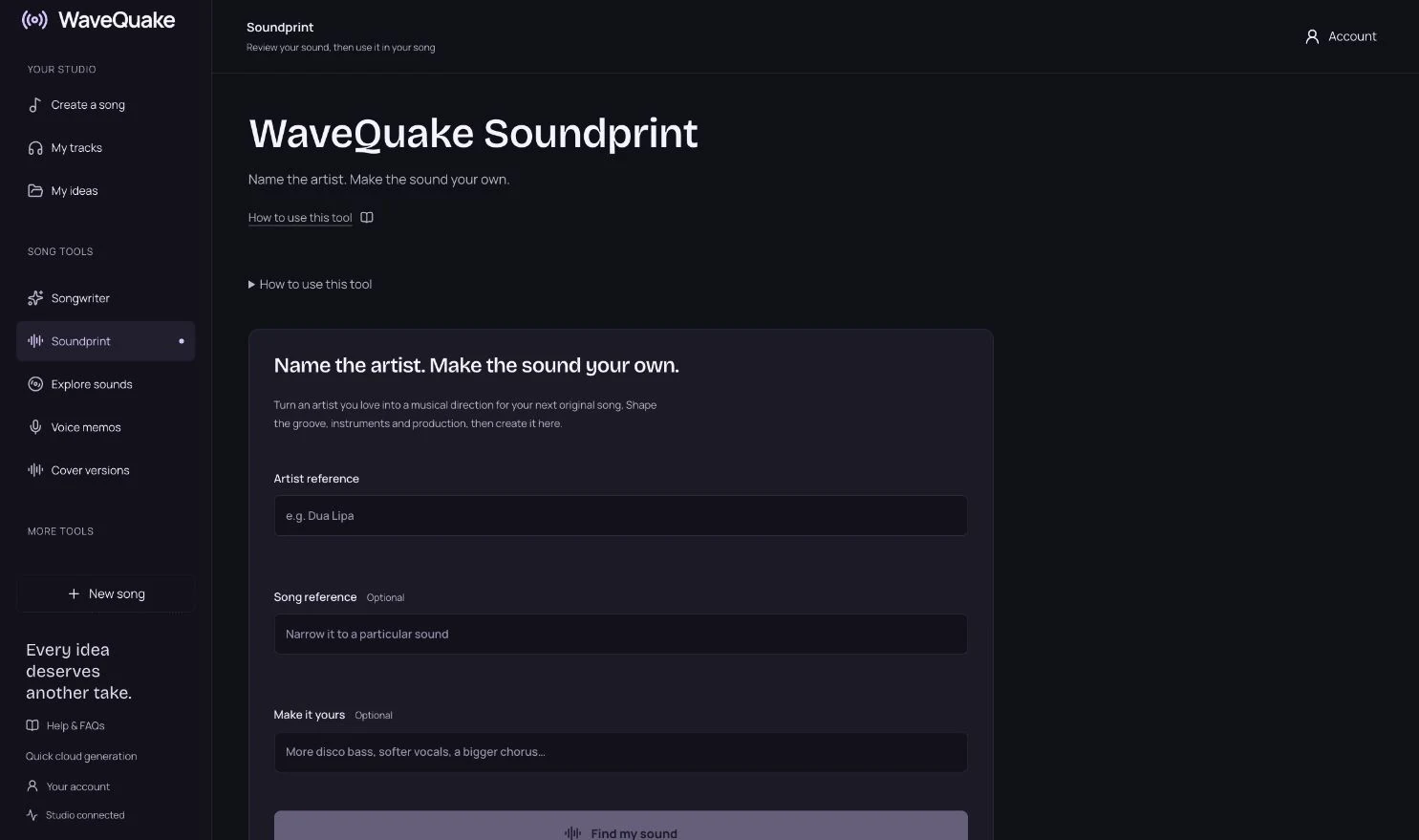
If you find it easier to name an artist than describe a sound, Soundprint helps turn that reference and your own twist into an editable musical direction. You can review the wording before bringing it into your song. It is a prompt-writing tool, not a celebrity voice clone or a promise to recreate a specific recording.
Compare the takes before you polish the sound
Once the words and direction are ready, create the music and listen to both versions. Judge the hook, intelligibility, pacing and emotional delivery before deciding which take to keep. The first few seconds are not always enough: a strong opening can lead to a chorus that does not land.
If neither take works, identify one concrete issue. A crowded arrangement calls for a simpler instrument palette. A lyric that feels rushed may need shorter lines. A chorus that never lifts may need more contrast with the verse. Changing everything at once makes it difficult to learn what helped.
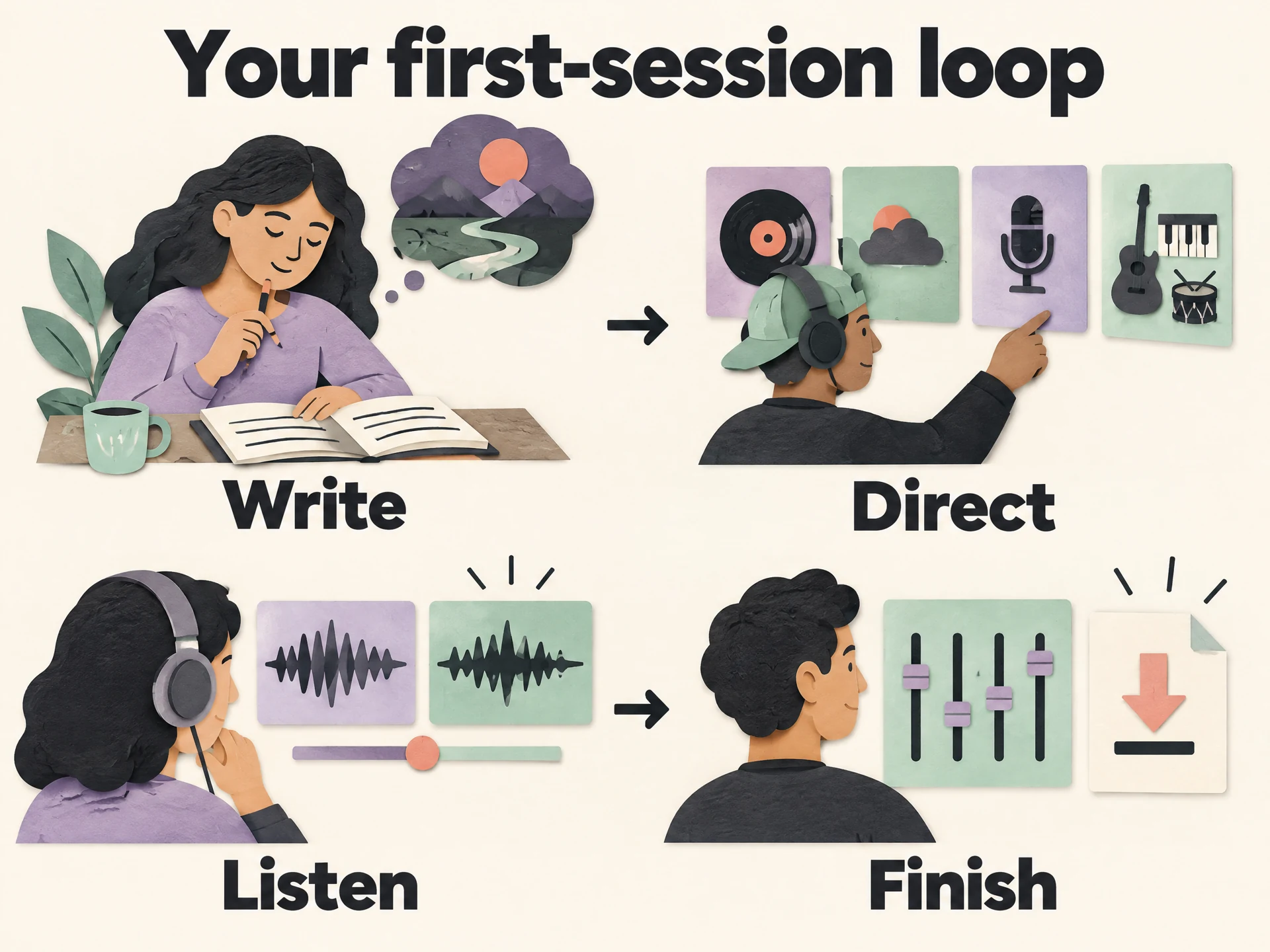 View full-size infographic
- WriteChoose a story and edit the lyric until it sounds like you.
- DirectSet one genre, a mood, a vocal delivery and a few instruments.
- ListenCompare both versions and identify the most important improvement.
- FinishMaster the stronger take and download your own copy.
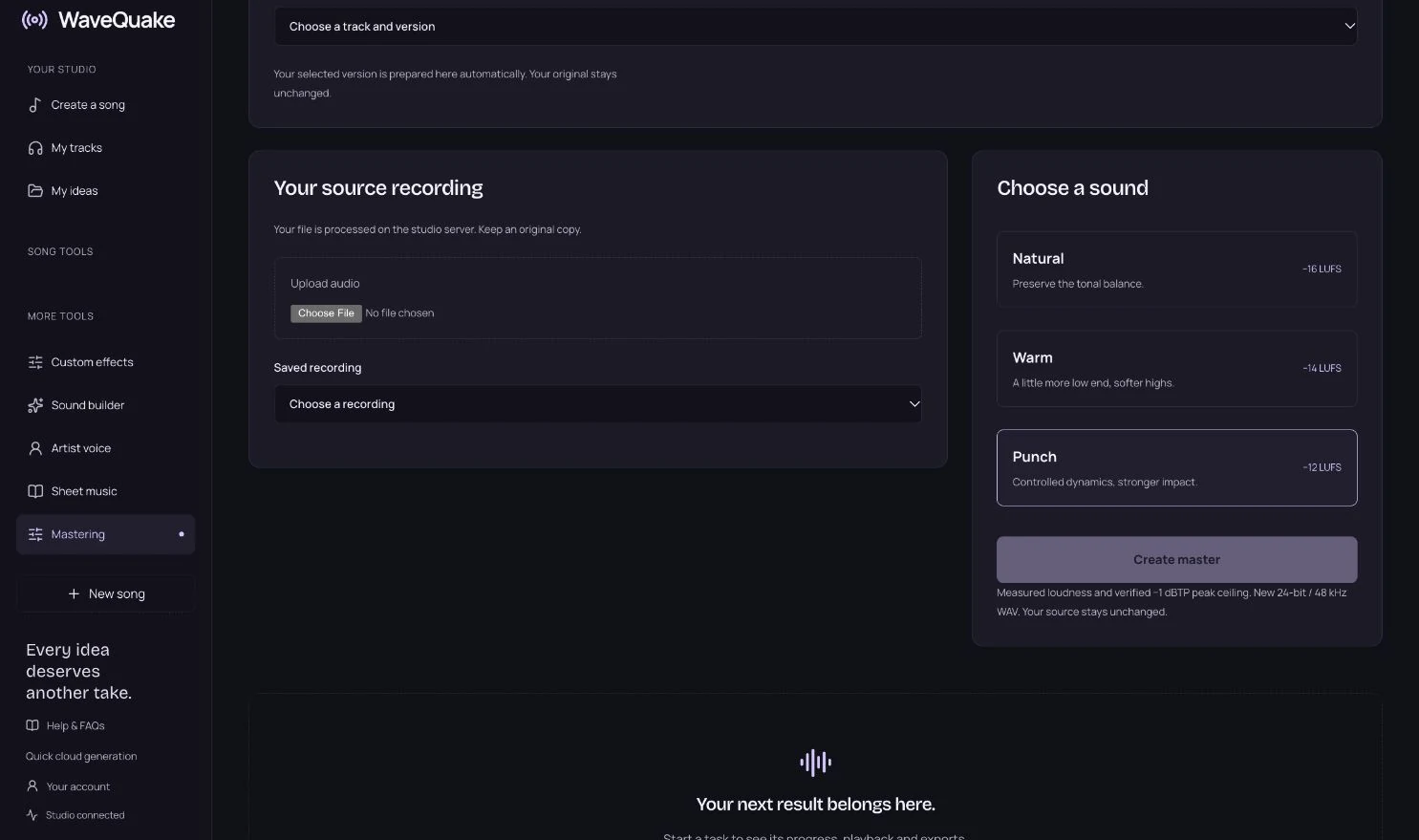
When the arrangement works, move to mastering. WaveQuake offers Natural, Warm and Punch profiles. Compare a master with the original at a comfortable listening level; louder is not automatically better. Mastering can shape a finished recording, but it cannot reliably repair a wrong lyric or a weak chorus.
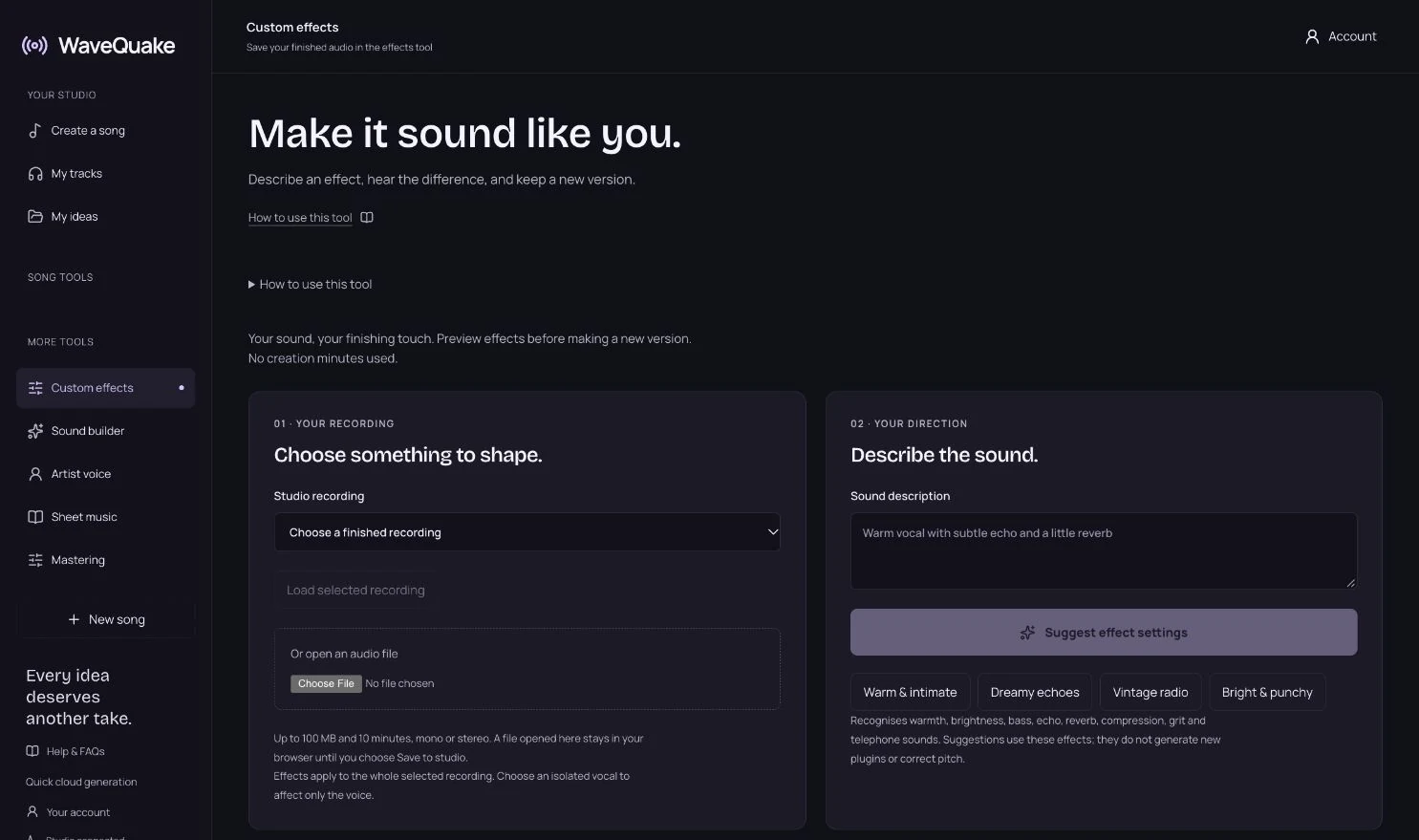
Custom Effects provides another way to explore a recording’s character. Use it for a deliberate change, and compare the result with your original. You do not need to process a track simply because a button is available. Sometimes the version with the fewest changes carries the song best.
Check the licence before planning a release
WaveQuake includes a full commercial licence covering the rights it can grant. That allows lawful commercial uses within the licence, without a separate commercial-use upgrade or WaveQuake music royalties. It does not clear material supplied by somebody else or guarantee that an output is exclusive.
If you bring lyrics, recordings, samples or someone’s voice into a project, make sure you have the necessary permission. Before public release, check your distributor’s requirements, any applicable AI disclosure rules and your arrangements with collaborators. The commercial-use guide and terms explain the boundaries.
Suno also offers commercial use on its paid plans. Its paid-subscription rights guidance distinguishes commercial permission from copyright protection. Neither service’s commercial licence should be read as a universal copyright certificate or immunity from third-party claims.
For a real project, keep the practical records: your original lyric drafts, any source-material permissions, the applicable terms and your exported files. That is a useful habit whether you finish entirely in a browser or continue editing in another music application.
Is WaveQuake the right Suno alternative for you?
Choose WaveQuake when your priorities are a one-time purchase, a finite bank without a monthly refill deadline, and an integrated path from writing to finished downloads. It is particularly relevant when your creative work comes in bursts and you want your next session to start with an idea rather than another subscription decision.
Keep Suno on your shortlist if a free entry point, its specific editing environment or a recurring allowance matters more to you. Its current paid plans also advertise own-voice tools and custom models. Compare the recording and voice workflow you need before choosing.
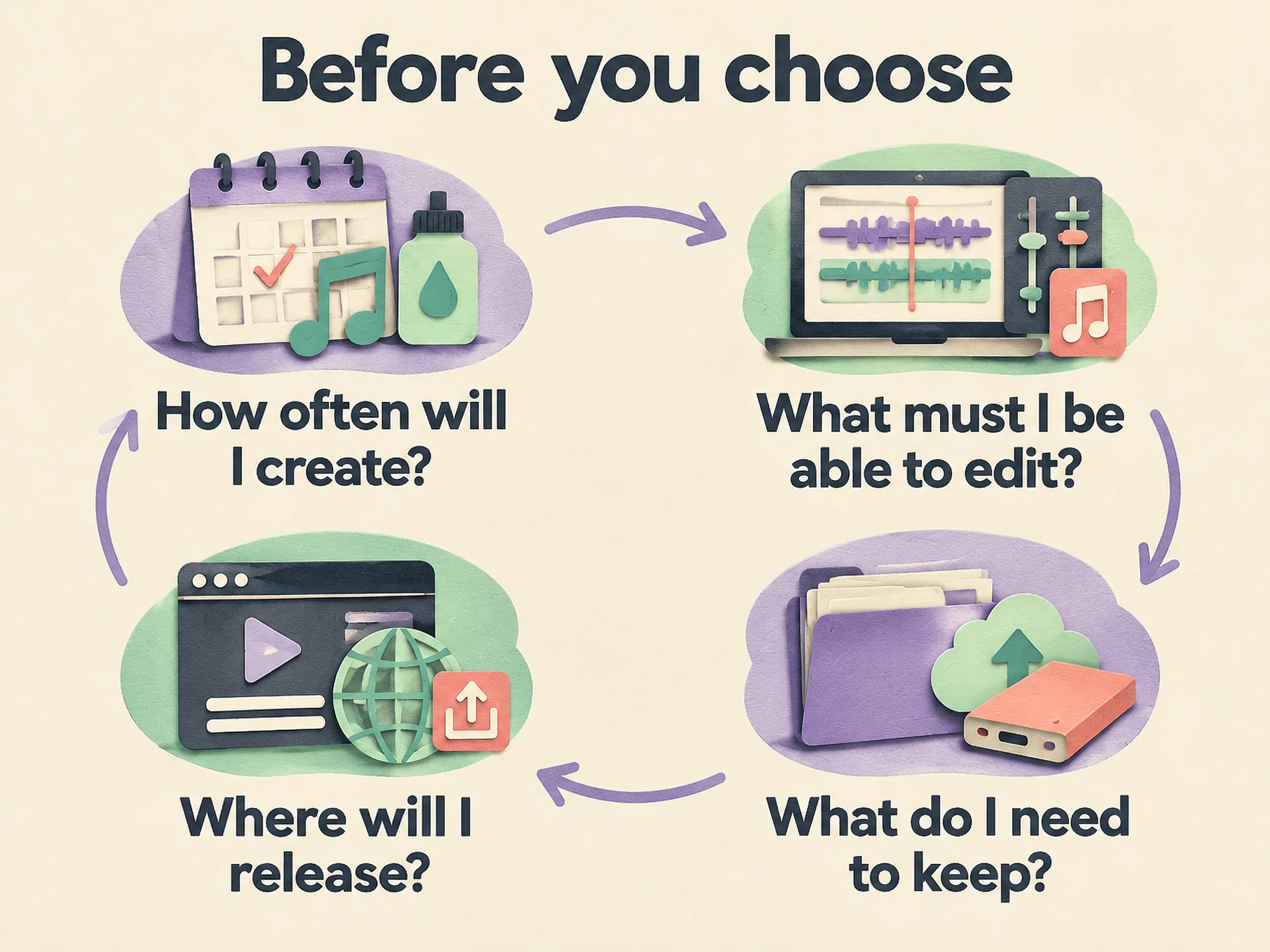 View full-size infographic
- How often will I create?Compare a one-time bank with the refill you would actually use.
- What must I be able to edit?Check your specific workflow, rather than a long feature count.
- What do I need to keep?Read download rules and make a plan for your own file backups.
- Where will I release?Check permissions and the receiving platform’s requirements.
Before you move an entire project, start with one original lyric and one clear musical direction. Listen to the available examples, read the plan and decide whether the workflow matches the way you like to work. There is no universal “best” generator for every voice, style and use case.
If the one-time model fits, explore the WaveQuake founder offer. You get the writing and music tools together, with the limits stated up front, and a place to return when the next song arrives.
Common questions
Is WaveQuake a free Suno alternative?
No. WaveQuake’s browser studio is a paid one-time purchase. The founder price is $149.99 USD including applicable taxes. Listen to the public examples and review the current offer before buying.
Does a one-time purchase include unlimited songs?
No. It includes 3,000 creation minutes, with no separate song-count cap within that bank. New songs and recorded-voice conversions use minutes. Optional top-ups add creation minutes.
Do my creation minutes reset every month?
No. This is a one-time bank, without a monthly refill. Purchased minutes have no scheduled expiry while the service operates.
Can I use my own lyrics?
Yes. Bring lyrics you have written or have permission to use, or develop a draft with Songwriter. Review the words before creating the music.
Can I still download when my minutes run out?
Yes, retained files can still be downloaded without more creation minutes. The plan includes 10 GB of working storage and 30-day retention, so download the recordings you want to keep.
Will Soundprint copy a famous singer’s voice?
No. Soundprint helps turn a reference into a descriptive musical prompt. It does not clone a singer or guarantee an exact recreation of a recording.
Sources & checking
Product details checked on 26 October 2026. Prices, features and terms can change; review the linked offer before purchasing. This is a product guide, not a comparative audio benchmark.